


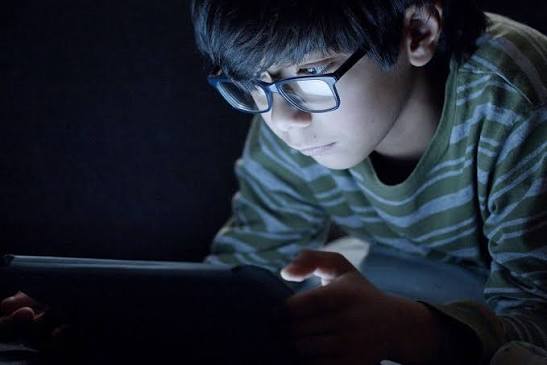
Learn how Screen Time Affects your eyes, common digital eye strain symptoms, the 20-20-20 rule and practical tips from an eye clinic in Pune. From smartphones and laptops to tablets, televisions, and gaming devices, screens have become part of everyday life. Whether you are working, studying, attending online classes, browsing social media, or watching videos, spending long periods looking at a digital screen can make your eyes feel tired and uncomfortable.
Extended screen use is commonly associated with digital eye strain, also called computer vision syndrome. Symptoms may include tired eyes, dryness, blurred vision, headaches, eye discomfort, and difficulty maintaining focus. The American Optometric Association recommends regular breaks, including the 20-20-20 rule, to help reduce digital eye strain.
If you regularly experience eye discomfort or changes in vision, it is important not to assume that screen time is the only cause. An eye examination can help identify refractive errors, dry-eye problems, or other eye conditions.
For people searching for an Eye Clinic in Viman Nagar, Eye Clinic in Pune, or an Eye Specialist in Viman Nagar, professional eye care can help assess your individual vision and eye-health needs.
What Is Digital Eye Strain?
Digital eye strain refers to a group of eye and vision-related symptoms that can occur after prolonged use of computers, smartphones, tablets, and other digital devices.
Your eyes have to continuously focus and refocus when looking at a screen. Glare, small text, poor lighting, uncomfortable viewing distance, and prolonged close-up work can make screen use more demanding.
Common symptoms include:
- Tired or strained eyes
- Dry or watery eyes
- Burning or irritation
- Temporary blurred vision
- Headaches
- Difficulty focusing
- Eye discomfort
- Neck and shoulder discomfort
These symptoms can vary from person to person.
How Does Screen Time AffectsYour Eyes?
1. It Can Cause Eye Strain
When you concentrate on a digital screen for a long time, your visual system remains engaged with near-distance focusing for an extended period.
This may result in tired or uncomfortable eyes, especially when breaks are infrequent.
Screen-related eye strain is generally temporary, but persistent symptoms should be evaluated by an eye-care professional.
2. It May Contribute to Dry Eyes
People often blink differently while concentrating on digital screens. Incomplete or less frequent blinking can reduce the spread of the tear film over the eye surface.
This can contribute to symptoms such as:
- Dryness
- Burning
- Grittiness
- Irritation
- Watery eyes
Making a conscious effort to blink fully and taking regular breaks can help reduce discomfort for some screen users.
3. You May Experience Temporary Blurred Vision
After prolonged screen use, some people notice that their vision becomes temporarily blurry or that it takes longer to refocus on objects at different distances.
This can be related to prolonged near work, focusing demands, dry eyes, or an uncorrected vision prescription.
If blurred vision continues even after taking a break, an eye examination is recommended.
4. Screen Use Can Trigger Headaches
Digital eye strain can be associated with headaches, particularly when combined with glare, poor lighting, incorrect viewing distance, prolonged near work, or an uncorrected refractive error.
If you frequently develop headaches while reading or using a computer, an eye examination can help determine whether vision-related factors are contributing.
5. Poor Screen Position Can Increase Discomfort
The way you position your screen matters.
A screen that is too close, too high, or positioned where strong glare falls across it can make comfortable viewing more difficult.
The American Optometric Association recommends a comfortable viewing distance and positioning the computer screen slightly below eye level.
Does Screen Time Permanently Damage Your Eyes?
This is one of the most common concerns.
For most adults, ordinary digital screen use is primarily associated with temporary symptoms of digital eye strain rather than permanent eye damage. However, persistent symptoms should not automatically be attributed to screen time.
An eye examination can help identify other factors such as:
- Myopia
- Hyperopia
- Astigmatism
- Presbyopia
- Dry-eye problems
- Focusing difficulties
- Other eye conditions
For children and teenagers, prolonged near work and screen habits are also important to discuss with an eye-care professional, particularly when there are concerns about vision or increasing myopia.
What Is the 20-20-20 Rule?
The 20-20-20 rule is a simple habit recommended by the American Optometric Association to help reduce digital eye strain.
Every 20 minutes, look away from your screen and focus on something approximately 20 feet away for at least 20 seconds.
For people who work continuously on digital devices, longer breaks are also useful. The AOA has recommended taking a longer break after extended periods of continuous device use.
7 Simple Ways to Protect Your Eyes From Screen Strain
1. Follow the 20-20-20 Rule
Set a reminder if necessary.
Every 20 minutes:
Look away → Focus on something about 20 feet away → Continue for 20 seconds.
This gives your eyes a regular opportunity to relax from continuous near viewing.
2. Blink Frequently
Remember to blink fully while working on a laptop or using your phone.
Blinking helps spread the tear film across the surface of the eye and can help reduce dryness-related discomfort.
3. Keep a Comfortable Viewing Distance
Do not hold your phone extremely close to your face.
For desktop computer use, the AOA generally recommends a comfortable viewing distance around 20 to 28 inches, depending on the setup and individual needs.
If text is too small, increase the font size or use the zoom function instead of moving the screen closer.
4. Position Your Screen Correctly
Your computer screen should generally be positioned slightly below eye level so you are looking somewhat downward rather than upward.
The AOA suggests positioning the screen approximately 15 to 20 degrees below eye level.
5. Reduce Screen Glare
Glare from windows, lights, or reflective surfaces can make screen viewing uncomfortable.
You can reduce glare by:
- Adjusting the position of your monitor
- Changing room lighting
- Adjusting screen brightness
- Using an appropriate matte or anti-glare screen solution
The goal is to create comfortable, balanced lighting rather than making the screen extremely bright or extremely dark.
6. Take Longer Breaks
The 20-20-20 rule is useful for frequent short breaks, but it does not mean you should work continuously for hours without a longer pause.
After extended periods of screen use, step away from the device, move around, and allow your eyes to focus at different distances.
7. Get Regular Eye Examinations
If you use screens extensively for work or study, regular eye examinations can help identify vision problems and ensure that your prescription is appropriate.
If you already wear glasses or contact lenses and still experience frequent eye strain, your prescription may need to be reviewed.
Screen Time and Children
Children increasingly use smartphones, tablets, computers, and other digital devices for both education and entertainment.
Parents can encourage healthy screen habits by:
- Encouraging regular breaks
- Maintaining an appropriate viewing distance
- Avoiding extremely close viewing
- Encouraging outdoor activities
- Ensuring adequate lighting
- Scheduling regular eye examinations
- Monitoring persistent vision complaints
If a child frequently squints, sits very close to screens, complains of headaches, or has difficulty seeing distant objects, consider arranging an eye examination.
Does Blue Light From Screens Damage Your Eyes?
Blue light is often discussed in relation to digital devices, but it is important to distinguish between different concerns.
Digital eye strain is not simply caused by blue light. Factors such as prolonged near viewing, glare, screen position, lighting, focusing demands, and reduced blinking can all contribute to discomfort.
Using warmer display settings in the evening may make screens more comfortable for some people, particularly if bright screens affect their sleep routine.
If you are considering special lenses or filters, discuss whether they are appropriate for your individual needs with an eye-care professional.
Screen Time Before Bed
Using phones, tablets, laptops, or other bright screens close to bedtime may interfere with sleep for some people.
A practical habit is to reduce screen use before going to sleep and create a comfortable, dimmer evening environment.
If you regularly have difficulty sleeping, do not assume that screen exposure is the only cause. Sleep habits and other lifestyle factors can also play a role.
When Should You Visit an Eye Specialist?
Occasional tired eyes after prolonged screen use are common. However, persistent or worsening symptoms deserve professional attention.
Consider scheduling an eye examination if you experience:
- Persistent blurred vision
- Frequent headaches while reading or using screens
- Ongoing dry or irritated eyes
- Eye pain
- Double vision
- Difficulty focusing
- Frequent squinting
- Increasing sensitivity to light
- Sudden changes in vision
- New flashes or floaters
Sudden vision loss, severe eye pain, or sudden significant changes in vision require urgent medical attention.
Eye Care in Viman Nagar, Pune
If you are looking for an Eye Clinic in Viman Nagar, Eye Clinic in Pune, or an Eye Doctor in Viman Nagar, professional eye evaluation can help determine whether your symptoms are related to digital eye strain, an uncorrected prescription, dry eye, or another condition.
Miracle Health Care Zone Eye Clinic and Laser Clinic | Dr. Amit Motwani provides professional eye-care consultation in Pune.
Patients searching for an Eye Specialist in Pune, Eye Specialist in Viman Nagar, Ophthalmologist in Viman Nagar, Ophthalmologist in Pune, or Eye Doctor in Pune can consider a professional eye examination for personalised assessment and guidance.
Treatment should always be based on an appropriate eye examination and individual diagnosis.
Final Thoughts
Screens are now an essential part of modern work, education, communication, and entertainment. You do not necessarily need to avoid digital devices completely, but developing healthier screen habits can make prolonged use more comfortable.
Remember the basics:
- Follow the 20-20-20 rule
- Blink regularly
- Maintain a comfortable viewing distance
- Keep your screen slightly below eye level
- Reduce glare
- Take longer breaks from continuous screen use
- Get regular eye examinations
- Do not ignore persistent changes in vision
If you regularly experience eye strain, dryness, headaches, blurred vision, or other symptoms while using digital devices, professional evaluation can help identify the underlying cause.
For patients searching for an Eye Clinic in Viman Nagar, Eye Clinic in Pune, Eye Specialist in Viman Nagar, Eye Specialist in Pune, Ophthalmologist in Viman Nagar, Ophthalmologist in Pune, Eye Doctor in Viman Nagar, or Eye Doctor in Pune, Miracle Health Care Zone Eye Clinic and Laser Clinic | Dr. Amit Motwani can be considered for professional eye consultation and care in Pune.
Frequently Asked Questions About Screen Time and Eye Health
Does looking at a phone damage your eyes?
Prolonged phone use can contribute to digital eye strain, particularly when viewing is continuous and breaks are infrequent. Symptoms can include dryness, tired eyes, headaches, and temporary blurred vision.
How many hours of screen time is safe for adults?
There is no single universal number of hours that applies to every adult. Work requirements, viewing distance, breaks, lighting, and individual eye health all matter. Taking regular breaks and following comfortable screen habits can help reduce strain.
What is the 20-20-20 rule for eyes?
Every 20 minutes of screen use, look at something approximately 20 feet away for at least 20 seconds. This is a commonly recommended strategy for reducing digital eye strain.
Can screen time cause dry eyes?
Yes. Prolonged screen use can be associated with dry-eye symptoms, partly because people may blink differently while concentrating on a screen.
Can screen time make eyesight blurry?
Prolonged screen use can cause temporary blurred vision or difficulty refocusing in some people. However, persistent blurred vision should be evaluated because it may have other causes.
Should I wear blue-light glasses while using a computer?
Not everyone needs special blue-light glasses. If you experience eye discomfort or have specific visual requirements, an eye-care professional can assess your needs and recommend appropriate options.
Is screen time bad for children’s eyes?
Long periods of near work and screen use can contribute to eye discomfort, and children’s vision should be monitored as they grow. Encourage breaks, appropriate viewing distance, outdoor activity, and regular eye examinations.